Mac
Follow the finding into the evidence
On a Mac you can inspect the summary, charts, access points and roams from the same walk, side by side.
macOS 14 or later. A separate licence from the iPhone and iPad app.
Start from what you have
This Mac
Watch the Mac’s own Wi-Fi at a desk or meeting room, and run an internet test when you want one.
A connected iPhone or iPad
Connect by USB, or over Wi-Fi on the same network, and follow the phone’s readings live on the bigger screen.
Connecting a phoneA saved capture (Pro)
Open a walk saved on the phone or recorded on the Mac, or import the phone’s diagnostic capture, and review it without the device.
From summary to evidence
One walk, every angle
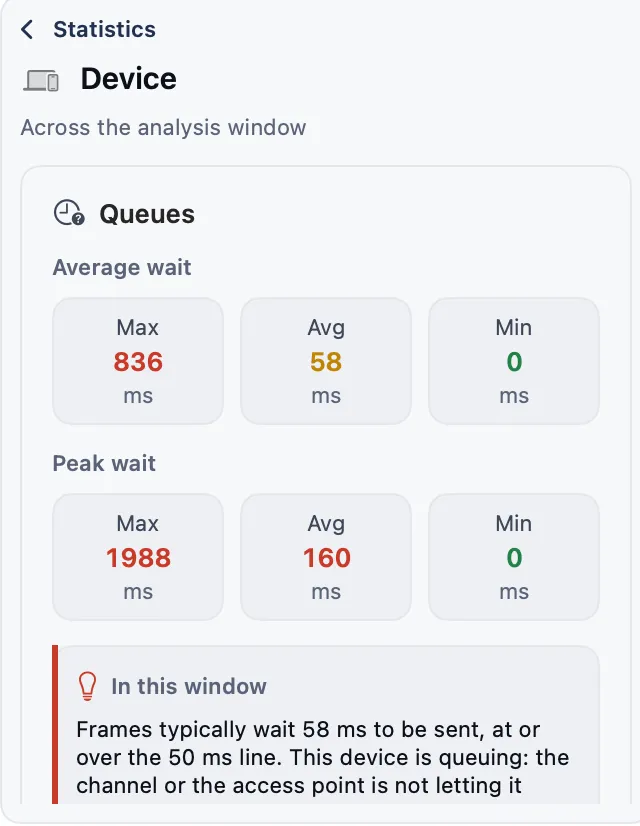
The summary, the charts and the statistics sit side by side for the analysis window you choose, so you can check each finding against the readings behind it.
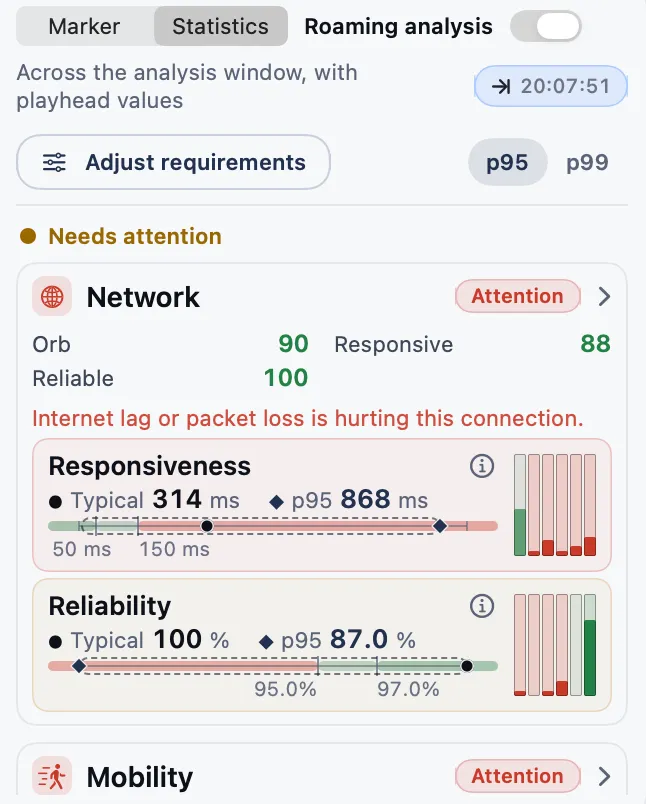 StatisticsKnow how the metrics change
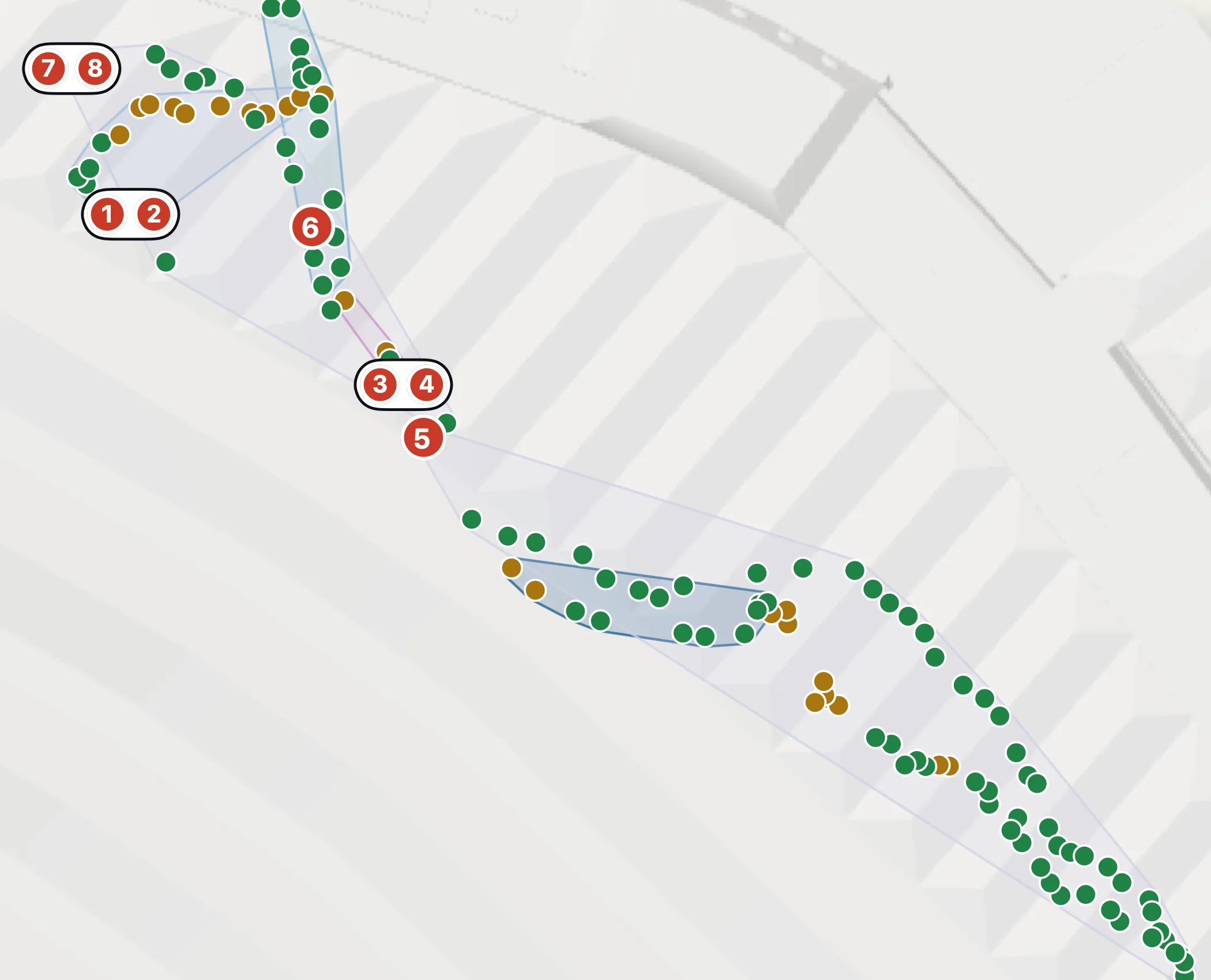 MapFind where is good and bad
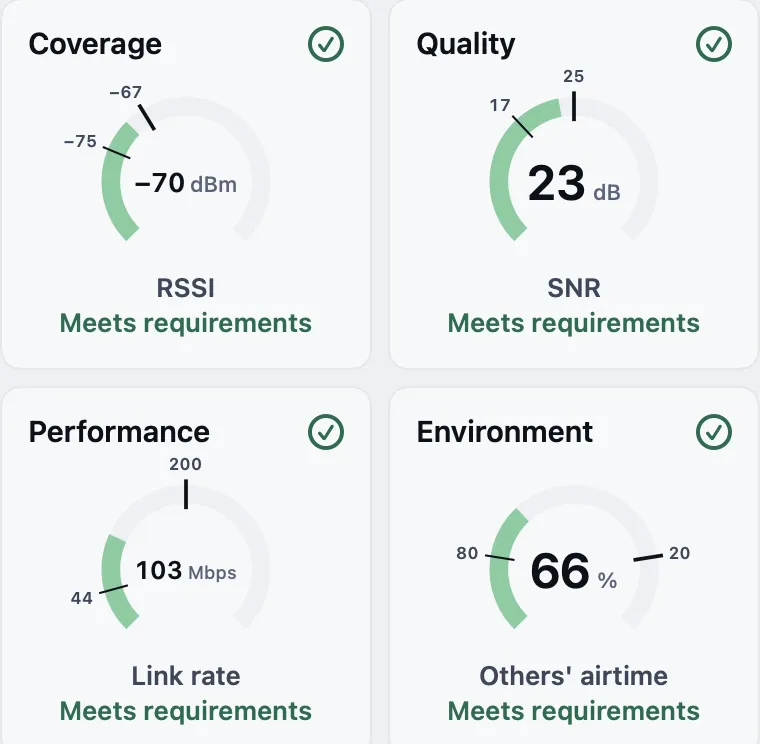 Summary dialsGlance at the key points
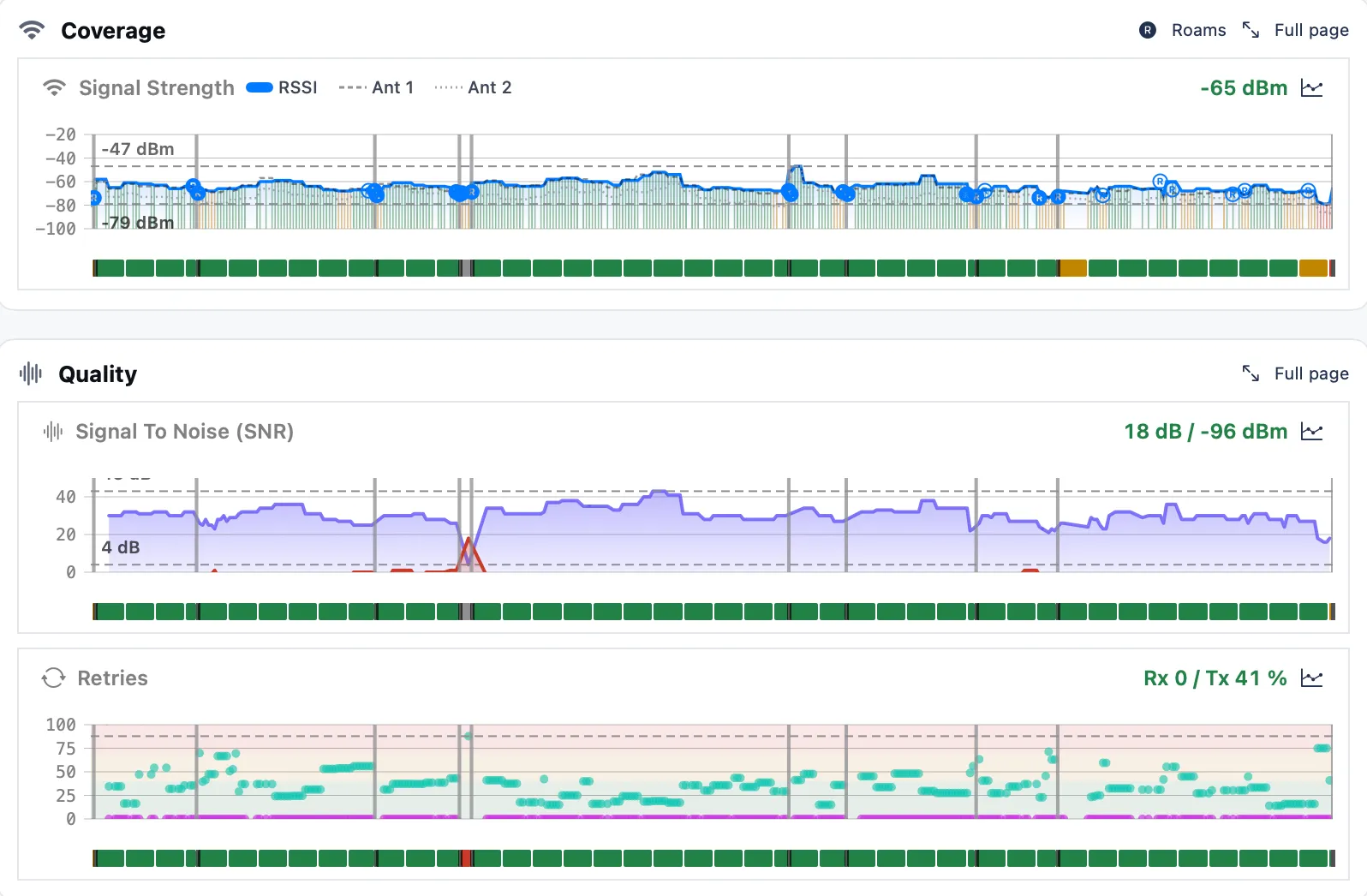 RSSI chartScrub all the metrics
 Roam summaryUnderstand the roaming
 Chip dataGet deep on the protocol
Access points and channels
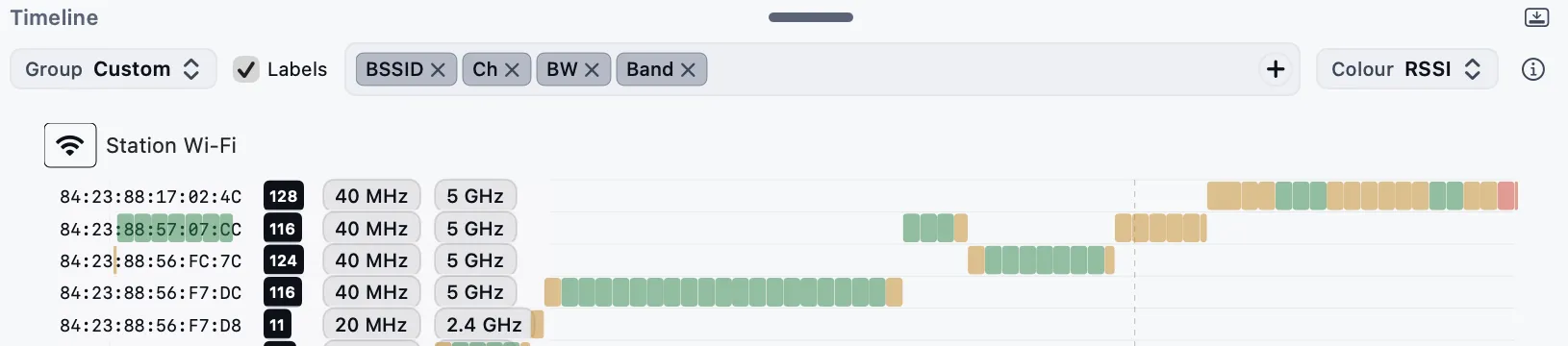
With Pro, the access points view shows which channels the walk used and how long the device stayed on each access point, so you can investigate where it held on or changed access point.
Mac Pro
Hand over a report
Choose the window, add who tested and for whom, and export a PDF. It sets each result against your requirements and keeps the findings that need attention, with their charts, map and photos.
Good to know
Location comes from the phone
Maps on the Mac use positions recorded by an iPhone or iPad. The Mac does not log its own location.
One device’s view
A capture shows how one device experienced the network. Test the devices that matter before drawing wider conclusions.
Your data stays with you
Analysis runs on the Mac. Internet tests contact outside services, and you decide what to share.